Getting started
Create a client
Log on to https://www.barentswatch.no/minside
Under the heading "Developer access" ("Utviklertilganger"), click on "show more" for either BarentsWatch API or AIS API. If you need access to both you need to create two clients.
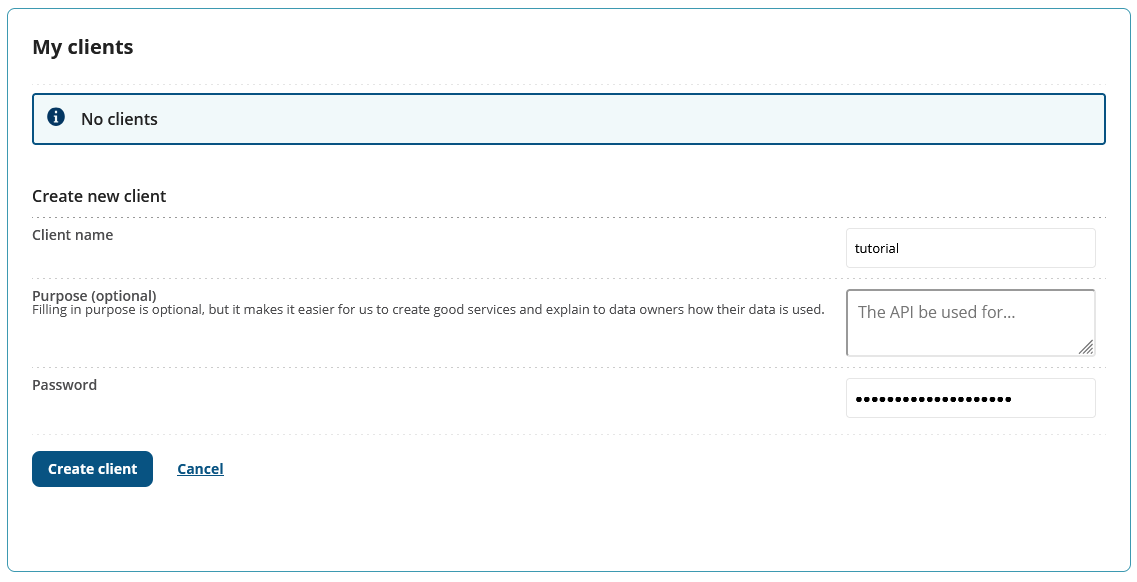
Click on "New Client" (Ny klient) under "My clients" (Mine klienter).
Create a new client, and make a note of the password (client secret) you choose.
Request a token
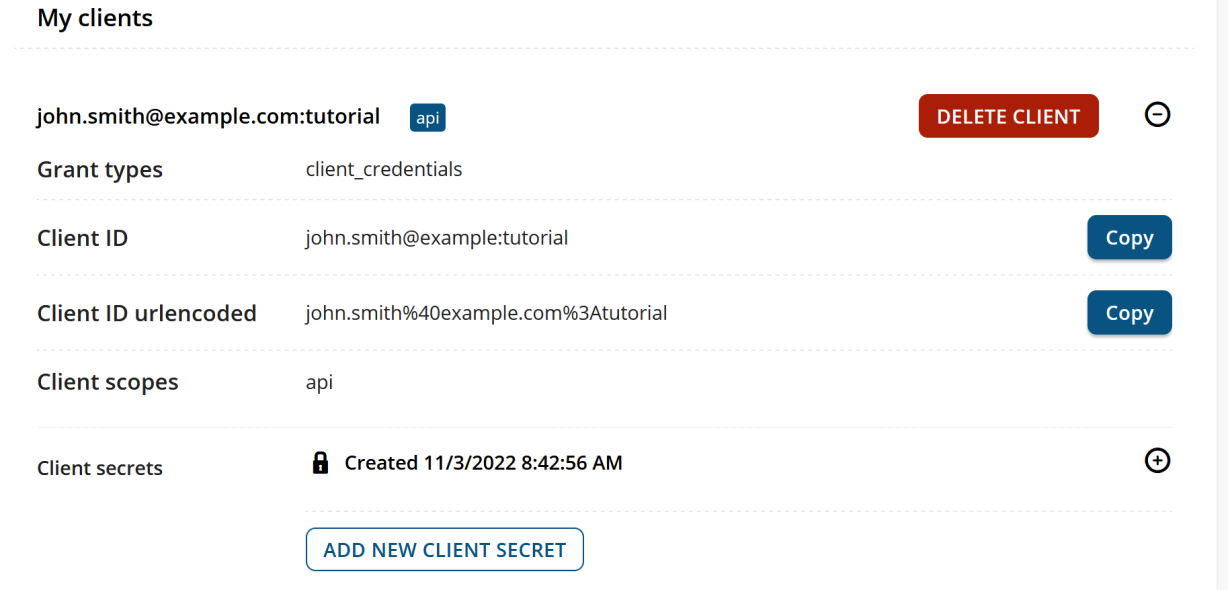
From my page copy your Client ID, and create a token request. The client ID will be prefixed by your email address.
Token request
curl -X POST --header "Content-Type: application/x-www-form-urlencoded" -d "client_id=john.smith@example.com:tutorial&scope=api&client_secret=YOUR_CLIENT_SECRET&grant_type=client_credentials" https://id.barentswatch.no/connect/token
Token response
{
    "access_token": "eyJhbGzI1NiIsIetc.eyJuYmQ2NTgzNiwiaXetc.TwRezPP4Jhble9Aetc",
    "expires_in": 3600,
    "token_type": "Bearer",
    "scope": "api"
}
This access token is valid for 1 hour. If you want a token for the AIS API, use an AIS client and the scope "ais".
Make an API request
With the access token, you can now make requests to the API:
API request
curl -X "GET" "https://www.barentswatch.no/bwapi/v1/geodata/fishhealth/locality/35657/avgfemalelice/2022" -H "Authorization: Bearer eyJhbGzI1NiIsIetc.eyJuYmQ2NTgzNiwiaXetc.TwRezPP4Jhble9Aetc"
Response
{
  "localityNo": 35657,
  "year": 2022,
  "type": "avgAdultFemaleLice",
  "data": [
    {
      "week": 34,
      "value": 0
    },
    {
      "week": 35,
      "value": 0.009999999776482582
    },
    {
      "week": 36,
      "value": 0.009999999776482582
    },
    {
      "week": 37,
      "value": 0.25999999046325684
    },
    {
      "week": 38,
      "value": 0.20999999344348907
    },
    {
      "week": 39,
      "value": 0.1599999964237213
    },
    {
      "week": 40,
      "value": 0.18000000715255737
    },
    {
      "week": 41,
      "value": 0.05999999865889549
    },
    {
      "week": 42,
      "value": 0.07000000029802322
    },
    {
      "week": 43,
      "value": 0.10999999940395355
    },
    {
      "week": 44,
      "value": 0.1599999964237213
    }
  ]
}